

AI Minutes
Stop writing minutes. Start reviewing them.
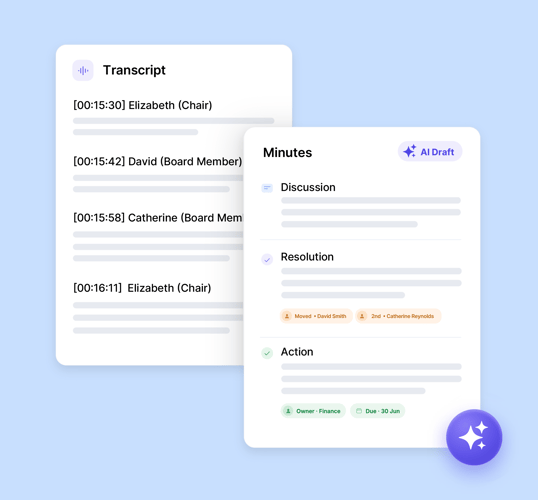
You shouldn't lose your Monday to typing up minutes from a recording. Upload your meeting transcript and get a structured first draft with our minutes AI – decisions, actions, and discussion notes – ready for your review in minutes, not hours.
No credit card required | Set up in minutes
How AI minutes get drafted
Import your meeting transcript
After recording your meeting using your existing video conferencing tool or note taker app, simply upload the raw transcript into BoardPro.
AI processes the transcript
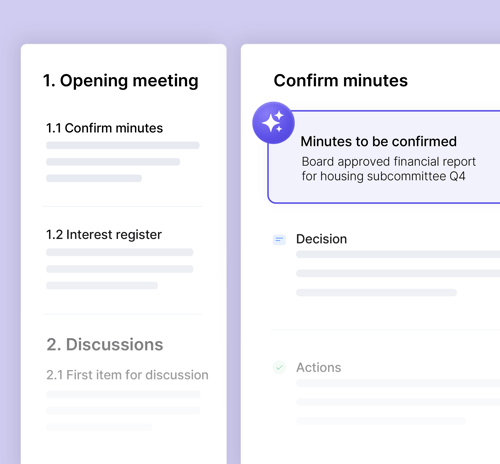
BoardPro's minutes AI reads the transcript, cross-references it against the meeting's agenda and attached documents, and generates structured minutes for each agenda item.
You review the final draft
Once generated, you review the AI-generated draft. You’ve got full control: You can edit, add, remove, or rearrange any content before confirming and publishing the minutes.
AI board meeting minutes, not generic notes
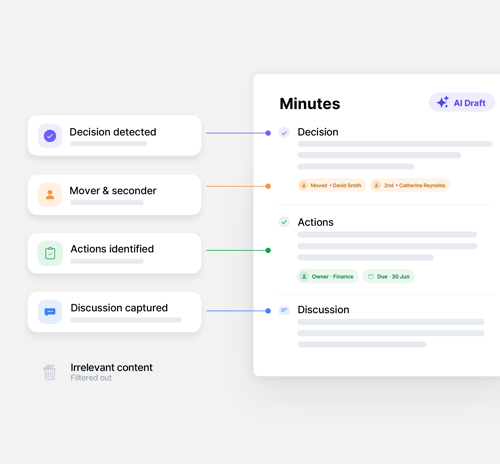
AI Minutes maps the discussion to your agenda and captures what governance actually needs: decisions with movers and seconders, actions with owners and due dates, and the substantive discussion that doesn't end in a vote but still matters. The side-chatter that doesn't belong in an official board record gets filtered out automatically.
It reads your board pack too
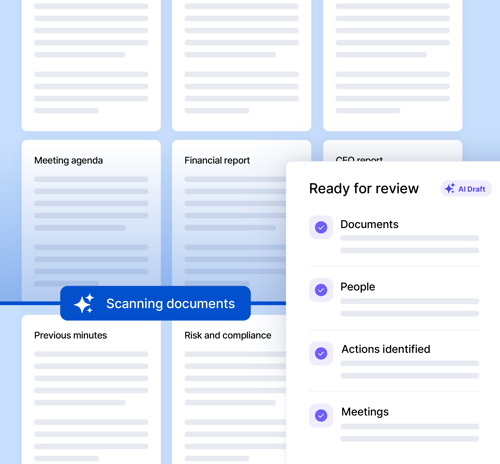
BoardPro’s purpose-built AI for meeting minutes cross-references the transcript against the papers and reports attached to the meeting, so acronyms, technical terms, and names come through correctly – not just what was said, but what was meant. Documents aren't required; AI Minutes works from the transcript alone, but accuracy improves when they're attached.
Communication is at the heart of a good board process.
We love how everything happens in one place and not across countless emails or shared folders
Patrick Coyle
GM Australasia, Karma Cola
Frequently asked questions
Yes – upload your transcript and AI Minutes generates a structured first draft of your minutes, mapped to your meeting's agenda. You review, edit, and approve it before anything publishes; it's a draft generator, not an auto-publisher.
Most AI minutes takers are built for generic team meetings – they summarise a call, not a governance record. AI Minutes is built specifically for boards: it maps the discussion to your agenda, matches actions to your attendee list, and produces decisions with movers and seconders recorded – output that lands directly in your BoardPro minutes editor.
Yes – that's what AI Minutes is built for. It's designed around the structure of a board meeting: agenda items, formal decisions, and actions with owners and due dates, not the loose notes format generic meeting-note tools produce.
No. You record your meeting using whatever tool you already use – Zoom, Teams, or similar – and download the transcript afterwards. AI Minutes takes that transcript and turns it into structured minutes; it doesn't capture audio or video, and it isn't a transcription tool itself.
AI Minutes accepts most common transcript file types, including .vtt, .srt, .txt, .docx, .pdf, and several others. Export the transcript from your recording tool as you normally would and upload it directly – there's no separate transcription step to manage.
Some conferencing tools don't capture participant names by default. When that happens, AI Minutes can't match actions to specific people from the transcript, so it falls back to the agenda item's presenter, or the meeting administrator if no presenter is set.
Yes – the meeting needs an agenda already built in BoardPro. The minutes app AI then maps the transcript against that agenda structure to generate minutes for each item, so the agenda has to exist first.
You stay in control either way. AI Minutes produces a first draft, but nothing publishes until you've reviewed, edited, and approved it in the normal BoardPro editor – the same review step you'd take with manually written minutes.
AI Minutes runs on Azure OpenAI under a contract that guarantees your data is never used to train or fine-tune any third-party AI models. Your transcript is deleted from BoardPro's storage once minutes are generated, and the AI only ever accesses content you already have permission to view.
Yes. Some tools, Teams especially, split a long meeting into separate transcript files. Upload them all to the same meeting and BoardPro orders them and stitches them into one record, then generates a single set of minutes – so you don't have to join the files up yourself first.